
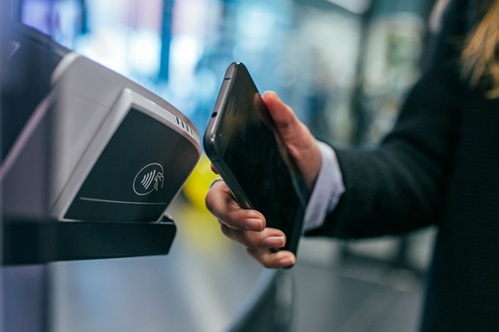
With the rising popularity of digital payments, understanding how to use UPI services securely is crucial, especially for beginners. Paying using Airtel UPI, available through the Airtel Thanks app, offers a convenient and safe way to make cashless transactions. In this guide, we’ll walk you through the essential tips to ensure your UPI payments remain protected.
Understanding Airtel UPI
Unified Payments Interface (UPI) powers instant money transfers in India. Pay using Airtel UPI, integrated within the Airtel Thanks app, leverages this technology to provide seamless payment services. It features built-in 2-factor authentication, enhancing security without requiring you to enter bank details for every transaction.
Key Benefits of Airtel UPI
- Link any bank account to pay through any UPI app
- No need to enter IFSC codes or account numbers repeatedly
- Advanced security measures like Face Match technology
- User-friendly interface for easy navigation
Getting Started with Airtel UPI
Setting Up Your Account
- Download and install the Airtel Thanks app from the official app store
- Create a UPI ID through the app
- Link your bank account to enable transactions
Creating a Strong UPI PIN
As of April 2024, Airtel UPI mandates users to set up robust authentication measures, including a secure UPI PIN. Follow these guidelines:
- Choose a 4-6 digit PIN that’s hard to guess
- Avoid using birthdates, phone numbers, or simple sequences
- Never share your PIN with anyone, including customer support
Essential Security Features
Face Match Technology
Airtel Payments Bank introduced Face Match in August 2024, an advanced security feature using machine learning. It calculates a threat score based on:
- User behaviour
- Transaction patterns
- Location data
- Device and app signals
When the threat score exceeds a threshold, Face Match is activated. Users must complete a selfie verification to proceed with transactions.
UPI PIN Authentication
Entering your UPI PIN is required for every transaction. This ensures only you can authorise payments from your account.
| Tip | Importance |
| Never share your UPI PIN | Prevents unauthorised access |
| Use a unique PIN combination | Makes it harder to guess |
| Change your PIN periodically | Reduces risk if compromised |
Upcoming UPI Updates
From June 30, 2025, new regulations will require beneficiary identification for all UPI payments. This aims to reduce fraud by ensuring users verify the recipient before completing transactions.
Tips for Secure UPI Payments
- Double-check payee details before confirming payments
- Enable biometric authentication when available
- Keep your app updated to benefit from the latest security features
- Monitor transaction alerts to detect unauthorised activity
- Use Face Match when prompted for extra verification
- Transact on secure networks, avoiding public Wi-Fi
- Contact support immediately if you suspect fraud
- Use the Airtel Thanks app for added security benefits
Secure Payment Process
Follow these steps to pay safely using Airtel UPI:
- Open the Airtel Thanks app and go to the Payments section
- Select your payment method (QR scan, UPI ID, mobile number)
- Enter the amount and verify the recipient details carefully
- Enter your UPI PIN to authorise the transaction
- Approve any Face Match verification if activated
- Wait for the confirmation message before closing the app
By adhering to these guidelines and leveraging the security features offered by Airtel UPI for payment, beginners can confidently embrace digital transactions while minimising risks. The Airtel Thanks app goes the extra mile in safeguarding your transactions with advanced technology like Face Match. Get Airtel Thanks App today to experience secure, convenient UPI payments at your fingertips.
Reference
- https://www.airtel.in/bank/upi-payments
- https://www.npci.org.in/what-we-do/upi/upi-security-updates-2024
- https://www.airtel.in/bank/airtel-upi
- https://www.airtel.in/press-release/august-2024/airtel-payments-bank-introduces-face-match
- https://www.npci.org.in/what-we-do/upi/product-overview
- https://www.airtel.in/blog/airtel-upi/5-new-rules-related-to-upi-that-you-must-know/
- https://www.airtel.in/blog/airtel-thanks-app/5-common-online-payment-problems-and-how-to-solve-them/
- https://www.pymnts.com/news/biometrics/2024/airtel-payments-bank-adds-biometric-verification-solution-to-protect-accounts/
- https://www.businesstoday.in/technology/news/story/airtel-payments-bank-introduces-ai-powered-face-match-heres-how-it-will-enhance-your-account-security-442355-2024-08-21
- https://www.indiatoday.in/technology/news/story/airtel-payments-bank-launches-face-match-to-secure-customer-accounts-with-selfie-verification-2586208-2024-08-22https://economictimes.com/wealth/spend/less-upi-frauds-now-thanks-to-this-new-feature-you-will-know-exactly-whom-you-are-making-upi-payment-to/articleshow/120698374.cms
- https://www.npci.org.in/PDF/npci/upi/circular/2025/UPI-OC-No-101-A-FY-2025-26-Strengthening-beneficiary-name-verification-and-display-during-UPI-transactions.pdf
- https://www.cnbctv18.com/personal-finance/new-upi-rule-from-june-30-only-registered-bank-names-to-show-in-transactions-19608889.htm
- https://razorpay.com/learn/how-to-get-phone-number-from-upi-id/
- https://www.linkedin.com/posts/dilipmodi_new-upi-rules-from-june-30-this-big-update-activity-7322913753023365122-kvvQ
- https://www.indiatoday.in/technology/news/story/airtel-payments-bank-launches-face-match-to-secure-customer-accounts-with-selfie-verification-2586208-2024-08-22
Disclaimer: The information provided in this blog, including but not limited to prices, promotional offers, and other time-sensitive data, is accurate at the time of publication. These details are subject to change without prior notice. Readers are advised to check official sources or platforms for the most up-to-date information.